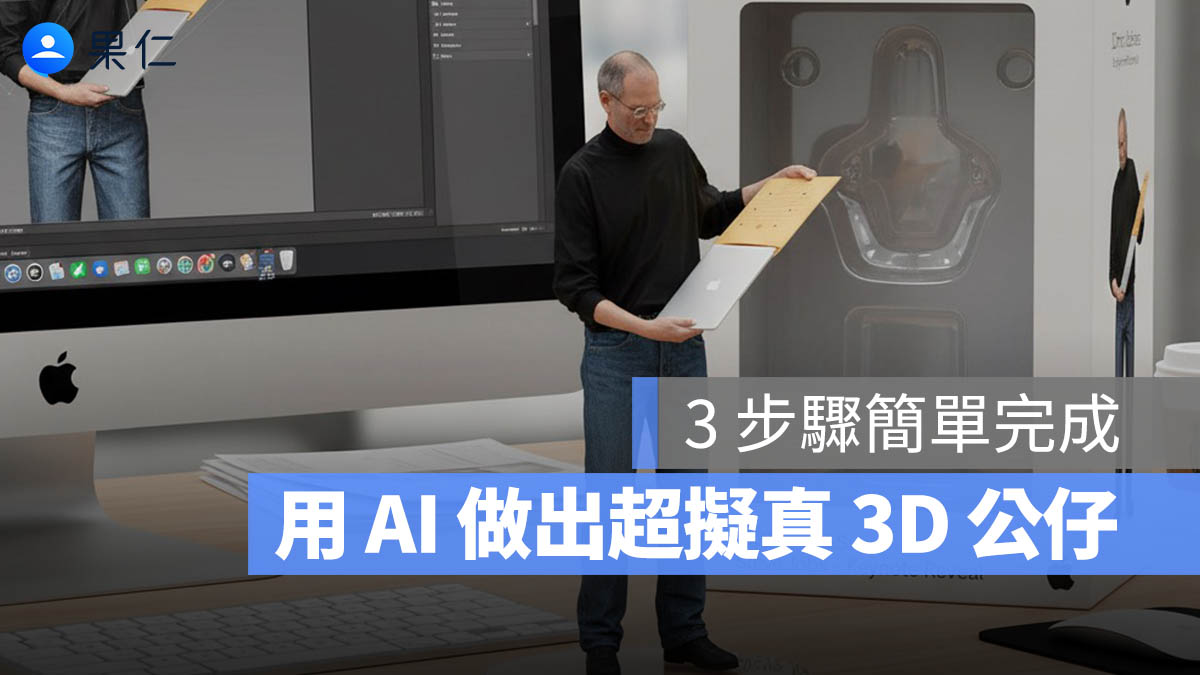
有不少人在今年四月那一波「ChatGPT 生成吉卜力風照片」的時候應該也玩過用 AI 生成可愛公仔的照片,今天要再跟大家分享用照片生成「真實比例」的 3D 公仔模型製作教學,還能搭配包裝盒與建模畫面,看起來就像真的實體商品一樣。
Gemini 2.5 Nano Banana 是什麼?
Google 近期推出的圖像生成模型「Gemini 2.5 Flash Image」,內部代號為「Nano Banana」,被網友暱稱為「最強生成引擎」。
它有幾個特別強的地方:
- 角色一致性高:圖片中的人物或物件不會亂變形或五官跑掉。
- 支援多圖合成與局部編輯:可以讓圖片更細緻、可調整。
- 邏輯推理力強:能理解圖片中的邏輯關係,例如誰該站哪裡、物體該有什麼陰影與反光。
這些特點讓它成為生成「擬真公仔圖像」的理想工具。
如何用 Gemini 把自己變成 1/7 比例的真實公仔圖?
只要幾個步驟,就能完成超像真的公仔模型圖片:
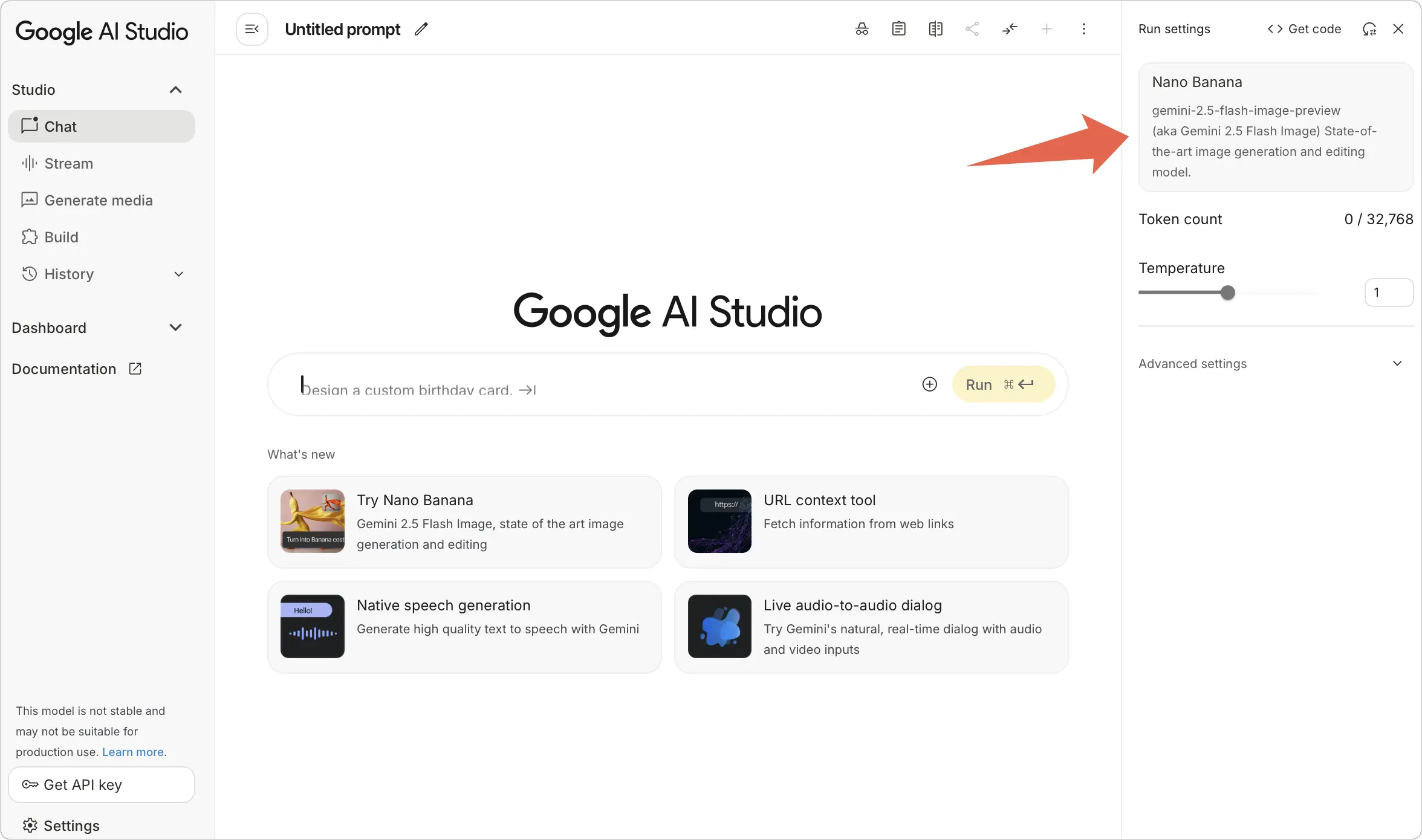
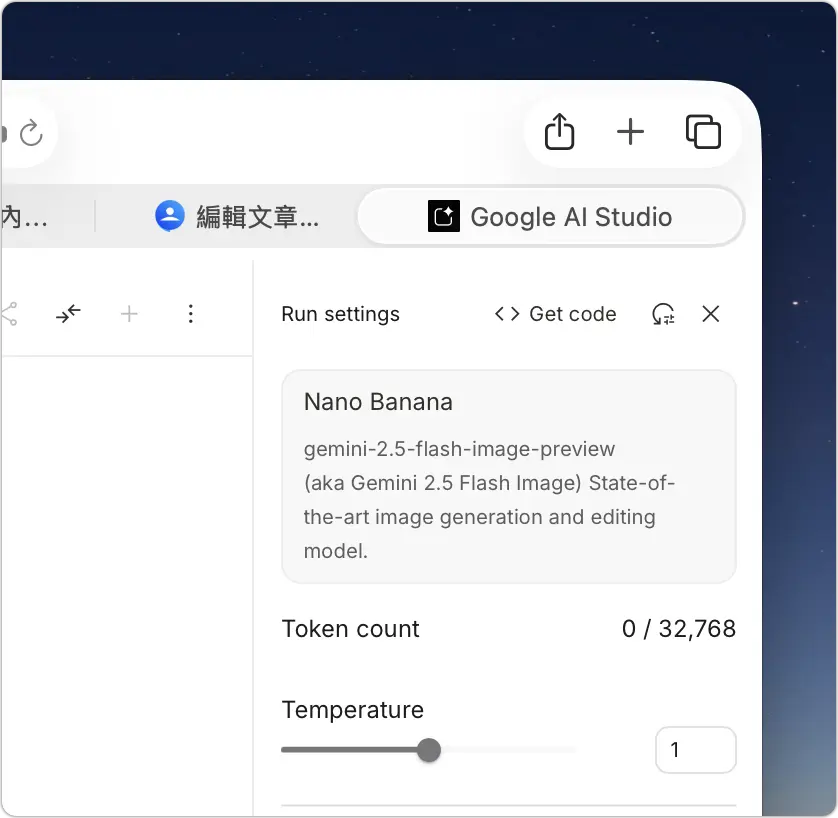
步驟一:使用 Google AI Studio
開啟 Google AI Studio,並登入 Google 帳號後,確認右上角選擇的是「Nano Banana」。
這個步驟改成使用 Gemini App 也可以,模型的部分就選擇 Gemini 2.5 Flash 就行了。
步驟二:上傳你想變成公仔的照片
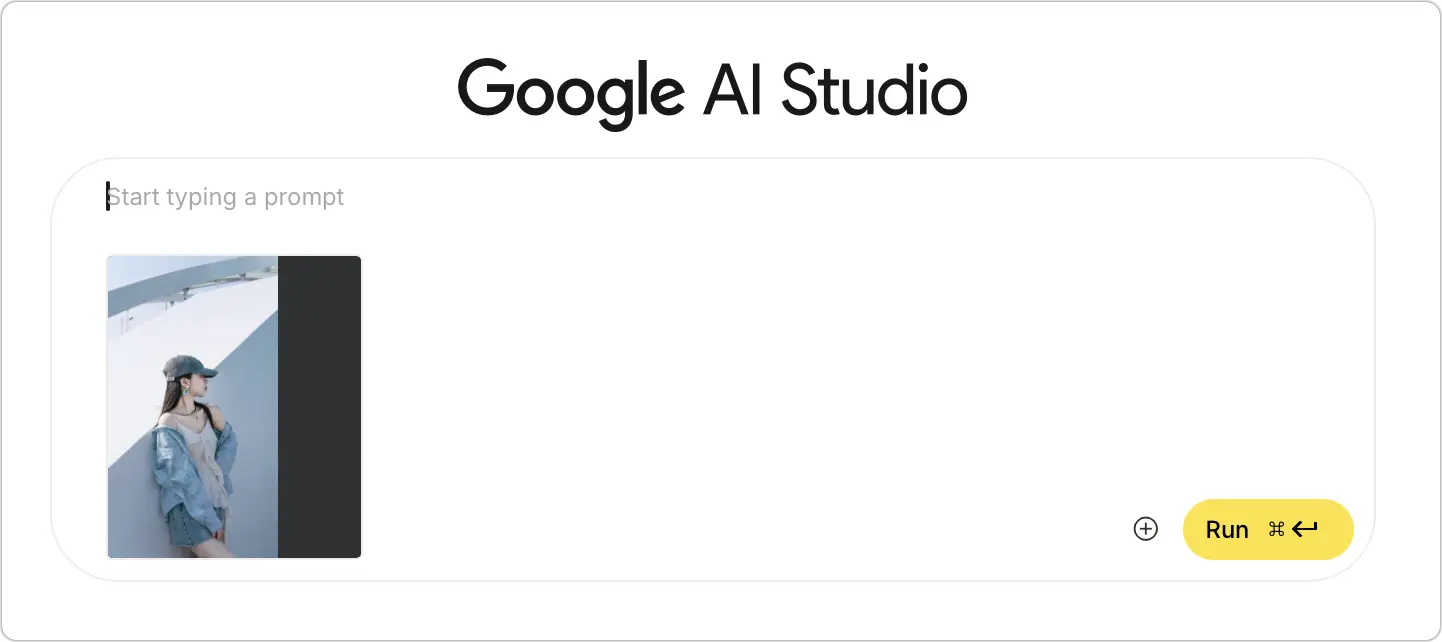
步驟三:輸入以下 Prompt(生成指令)
將下面這段指令複製並貼上。
Imagine a realistic 1/7 scale figure of the characters shown, presented as if it were a finished commercial product. It’s displayed on top of a Mac desk, anchored by a clean, round acrylic base without any labels. A stream of elegant light falls across the figure, bringing out the sculpted details. On the Mac screen behind it, the ongoing ZBrush creation process of this figure is visible.
Positioned nearby is the product’s packaging: a box with rounded design elements and a transparent front panel. The box is open at the top, revealing that only the inner plastic clamshell remains inside. Its vertical size is slightly higher than the figure it is meant to contain.
然後按下「Run」,就可以生成一個看起來相當真實,而且跟照片上的人幾乎一樣的 3D 公仔,而且背景的電腦還加上了專業模型雕刻的 Zbrush 畫面,看起來就像是你自己製作並且花錢請人印出來的!
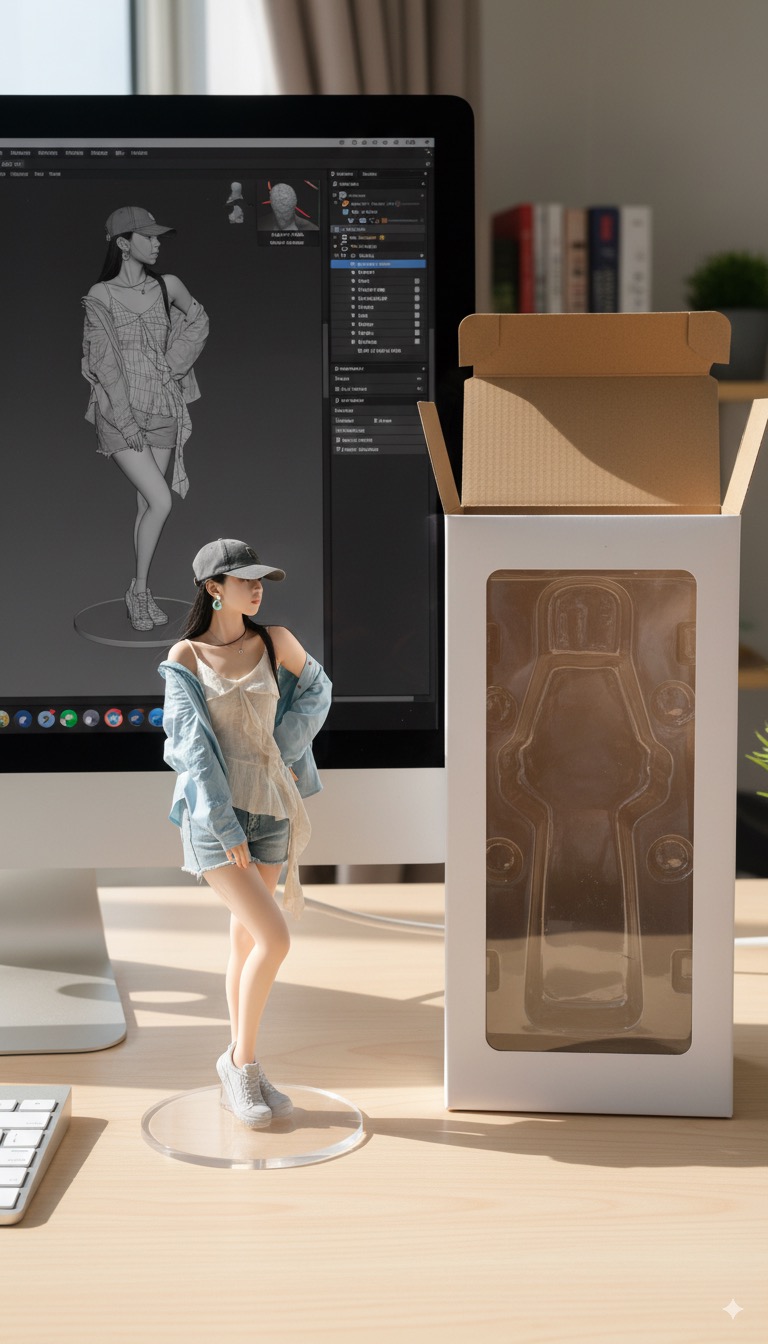

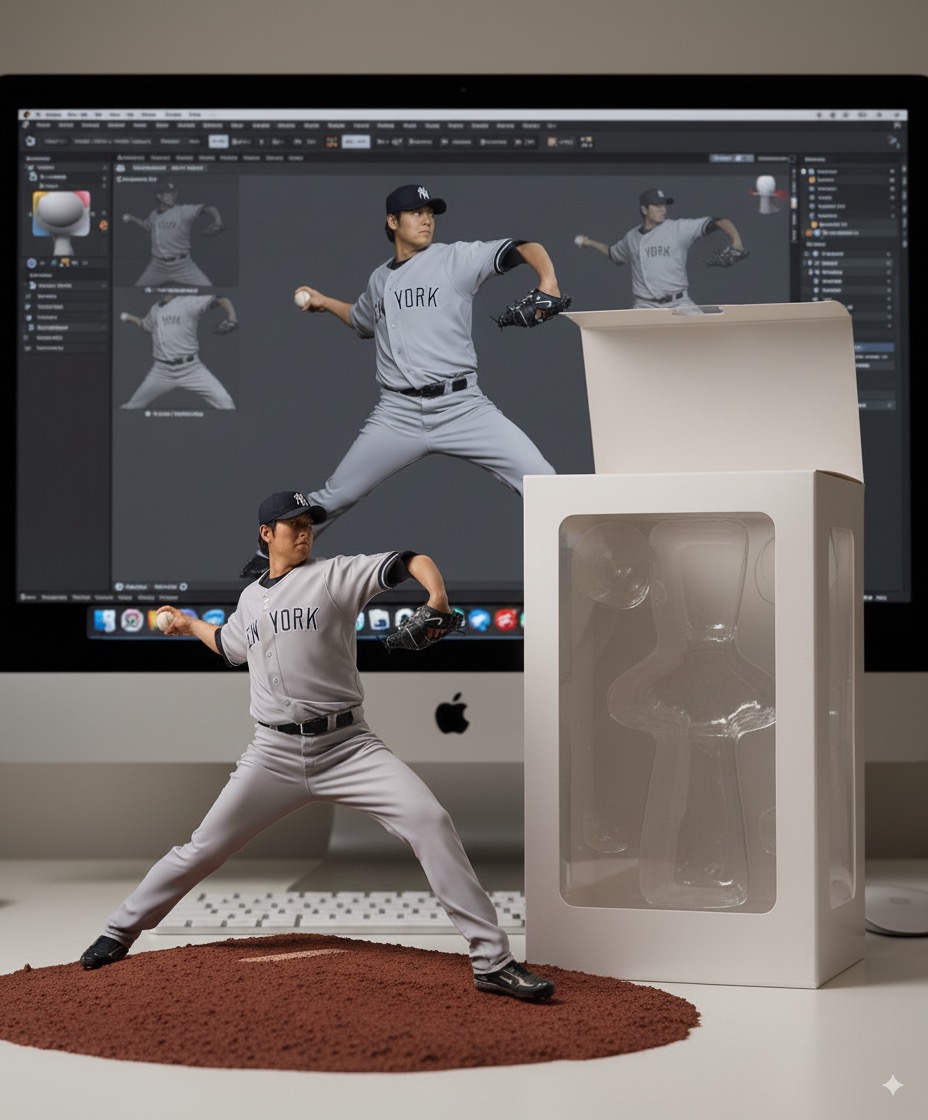
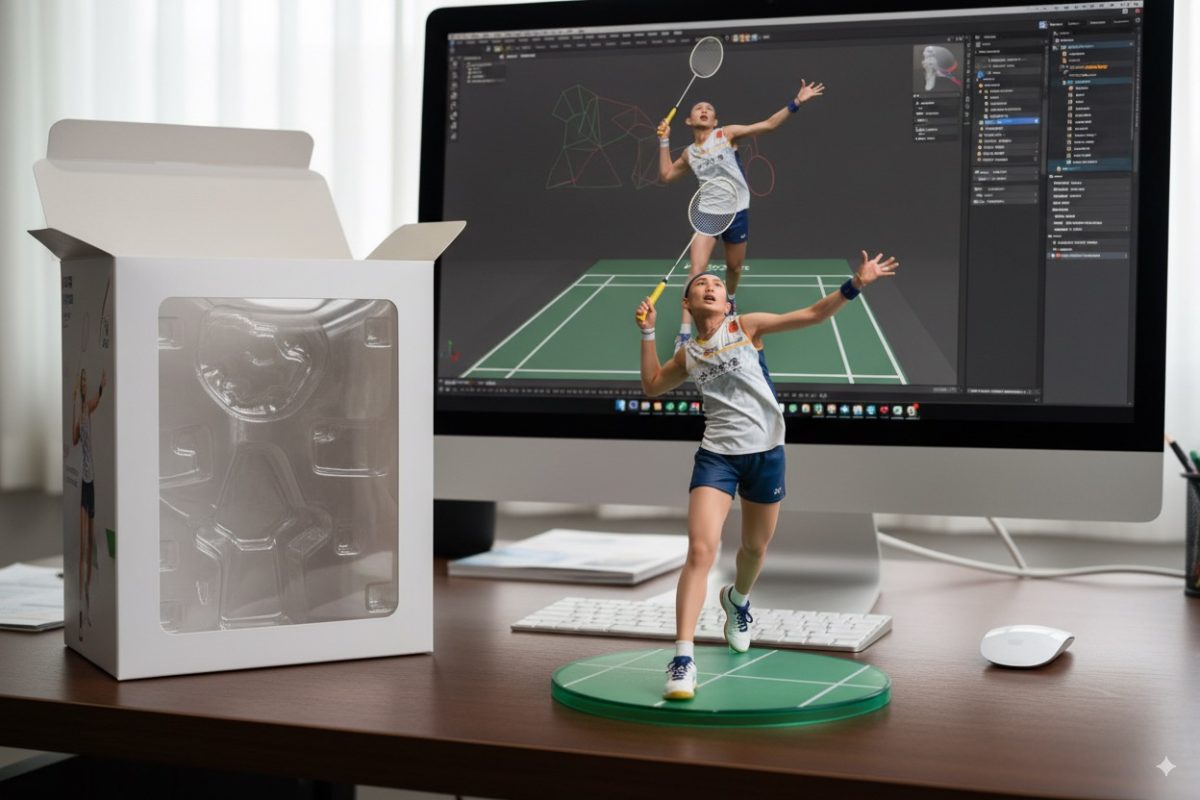
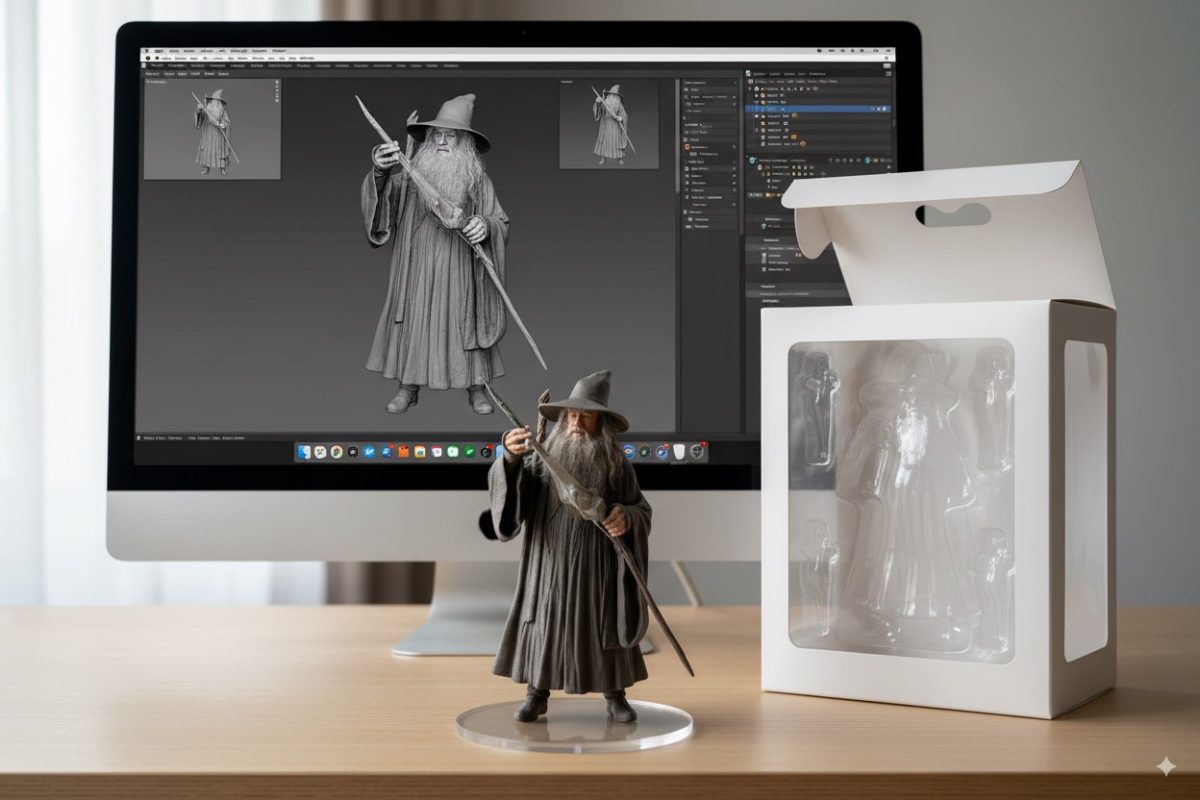
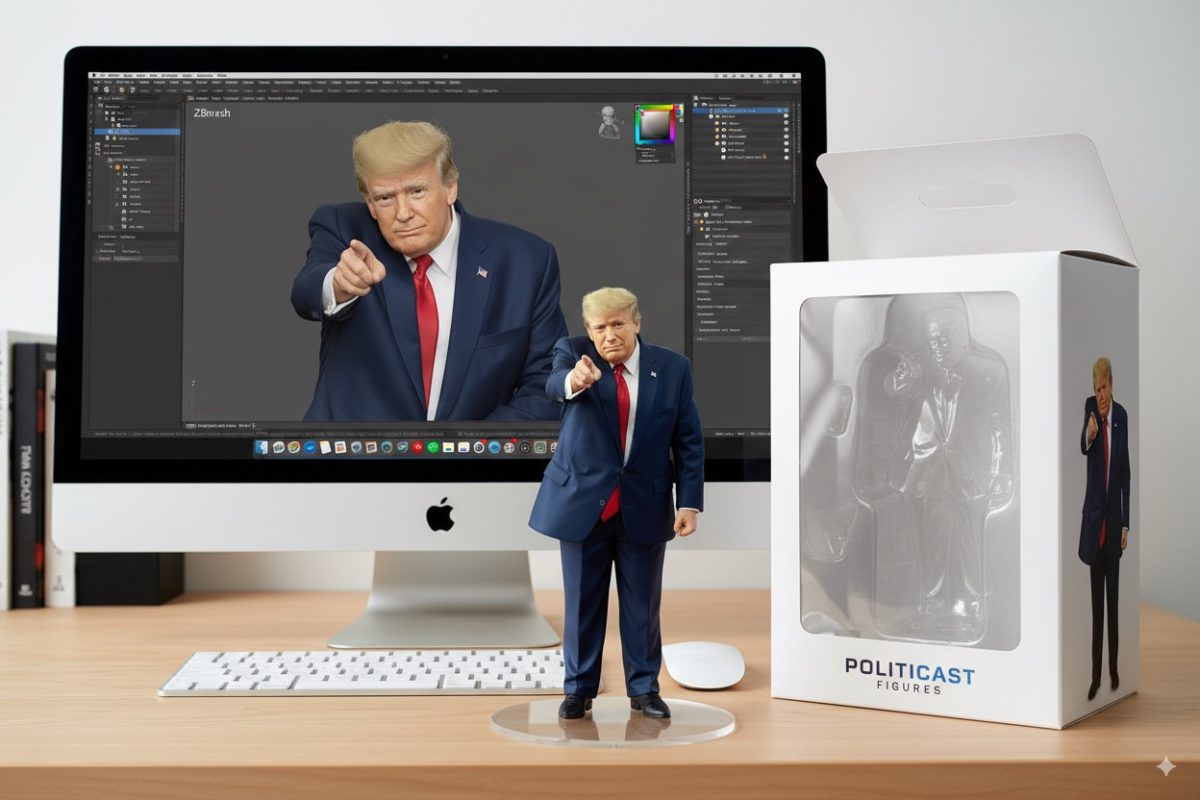
大家不妨也把自己的照片、寵物的照片丟上去玩看看,雖然說不是真的透過 3D 模型印出來,但是看到這樣真實的照片也相當有趣,甚至你可以試試看拍一張自己桌面的實拍照,然後同樣丟上去,請 Gemini 幫你用這張桌面和公仔做合成,看起來會更逼真。
延伸閱讀》

如果想知道更多關於 Apple 的消息、教學、小技巧或是科技新知,一定要點擊以下任一 LOGO,追蹤我們的 Facebook 粉絲團、訂閱 IG、YouTube 以及 Telegram。